 by
It started as a silly question. Microsoft Fabric has a new kind of item, a Fabric App, that hosts your own web application next to your data. A web application can be anything. So could it be a room? Could I put on a headset, open a browser, sign in to Fabric, and stand inside my Power BI numbers?
It could. The first test worked on the first evening, far better than I expected. And then it turned into a real project.
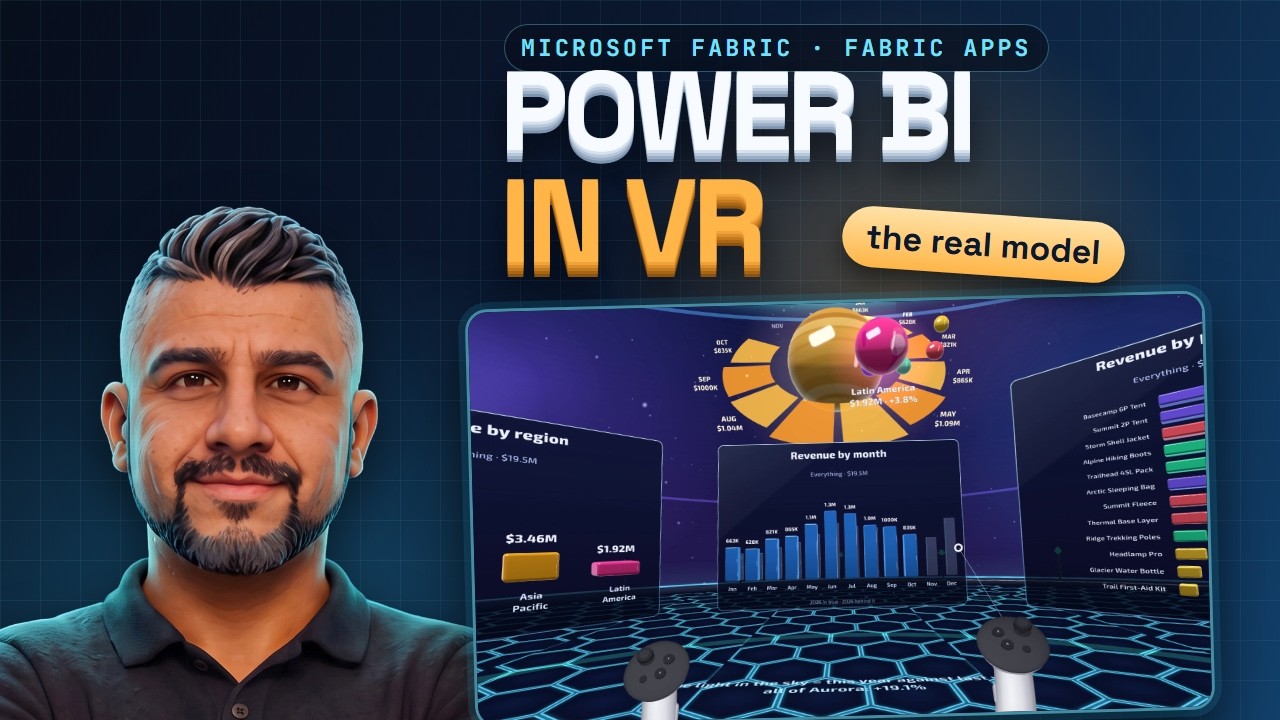
This article is the thinking behind the video. What a Fabric App is, how a simple one gets built, why I took it somewhere strange, and what I learned on the way.
Two things are changing
The first is how we build. You describe what you want and an AI agent writes the code. Work that took a team a few weeks can take one person an afternoon. That’s not a slogan anymore; in the video you watch it happen in fourteen minutes.
The second is how we look at data. A while ago I showed how to talk to your Power BI data by voice. No report at all. You just ask. So a report page is not the only way anymore.
Put the two together and something shifts. For years the question was “which visual do I pick from the pane?” Now the question is “what should this screen be?” And you can answer it any way you like.
A Fabric App is where that answer lives.
What a Fabric App really is
It’s an item in your workspace. It sits next to your reports and your semantic models. But inside it there’s a web application that you wrote. Well, you, or your AI.
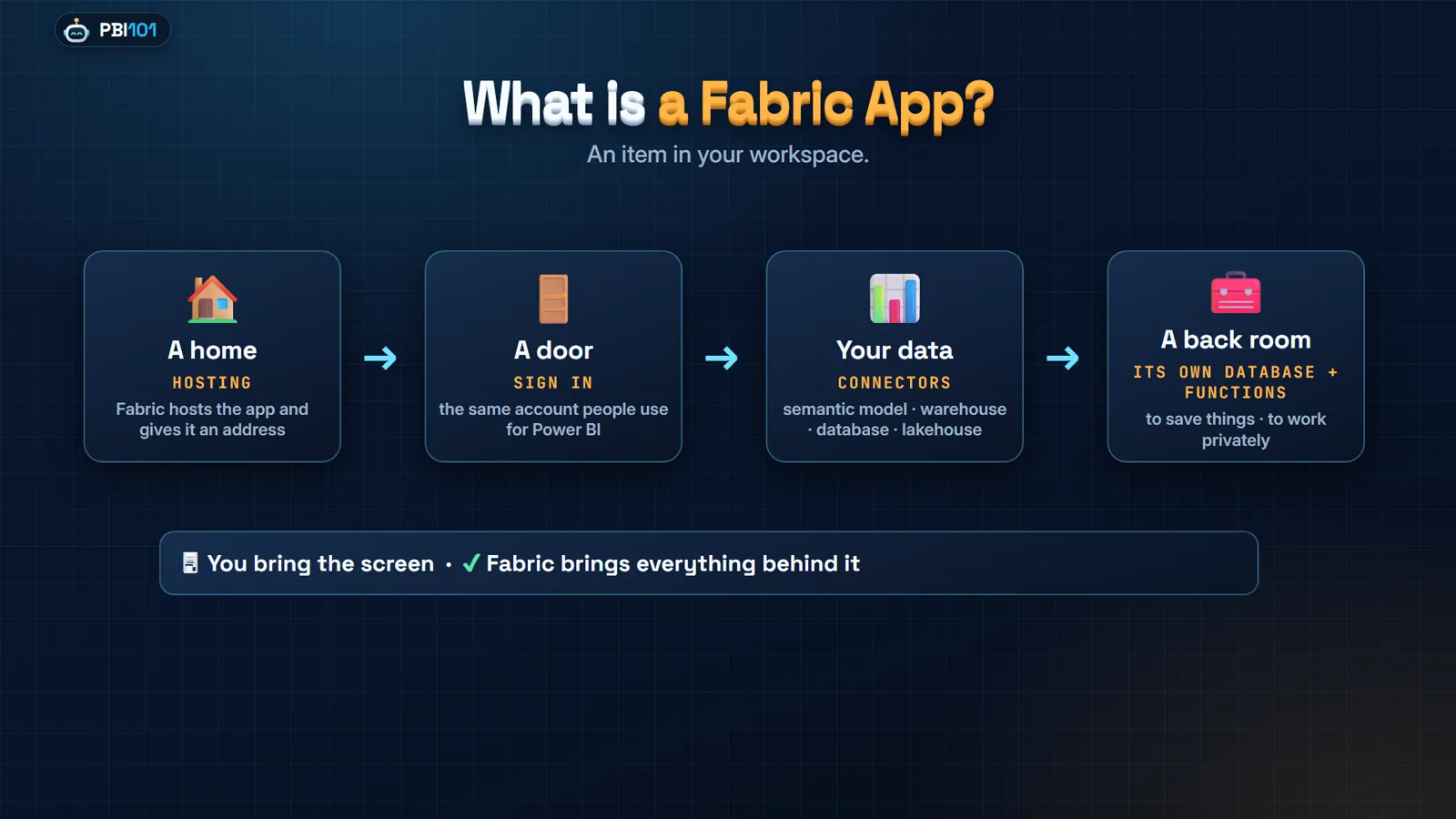
Fabric gives that application four things:
- A home. Fabric hosts it and gives it an address.
- A door. People sign in with the same account they use for Power BI. You never build a login page.
- Your data. The app can ask a semantic model a question in DAX, or work with a warehouse, a database or a lakehouse.
- A back room. Its own database if it needs to save things, and small functions on the server if it needs to do something privately.
The part I care about most is security. When the app asks the model for numbers, it asks as the person who signed in. Not as some hidden super user. The permissions you already set on the model still decide what each person gets. You don’t rebuild security. You inherit it.
And the cost? There’s no separate price tag. The app runs on the capacity the workspace already sits on, and every question it sends to the model is a normal query, just like a report would send. One thing to remember: it only works while that capacity is running.
A simple one first, built by an AI
Before the headset, the basics. I didn’t want to start with the crazy thing, because the crazy thing hides how simple the path is.
One command creates an empty project. The project comes with its own instructions for AI agents, written by Microsoft: how to connect to a semantic model, how to write the DAX, how to design the page, how to deploy. Then I typed one prompt:
Turn this new project into a simple Fabric App called Aurora Pulse. One page: three big numbers for 2026 (revenue,
orders and margin percent) and a bar chart of revenue by region. Take the numbers from my Power BI semantic model
"Aurora Sales" in the workspace "pbi101". When it works, deploy it to that same workspace and give me the link.
Don't open a browser to test it, I'll check it myself.
Fourteen minutes later there was a new item in my workspace, of type App.
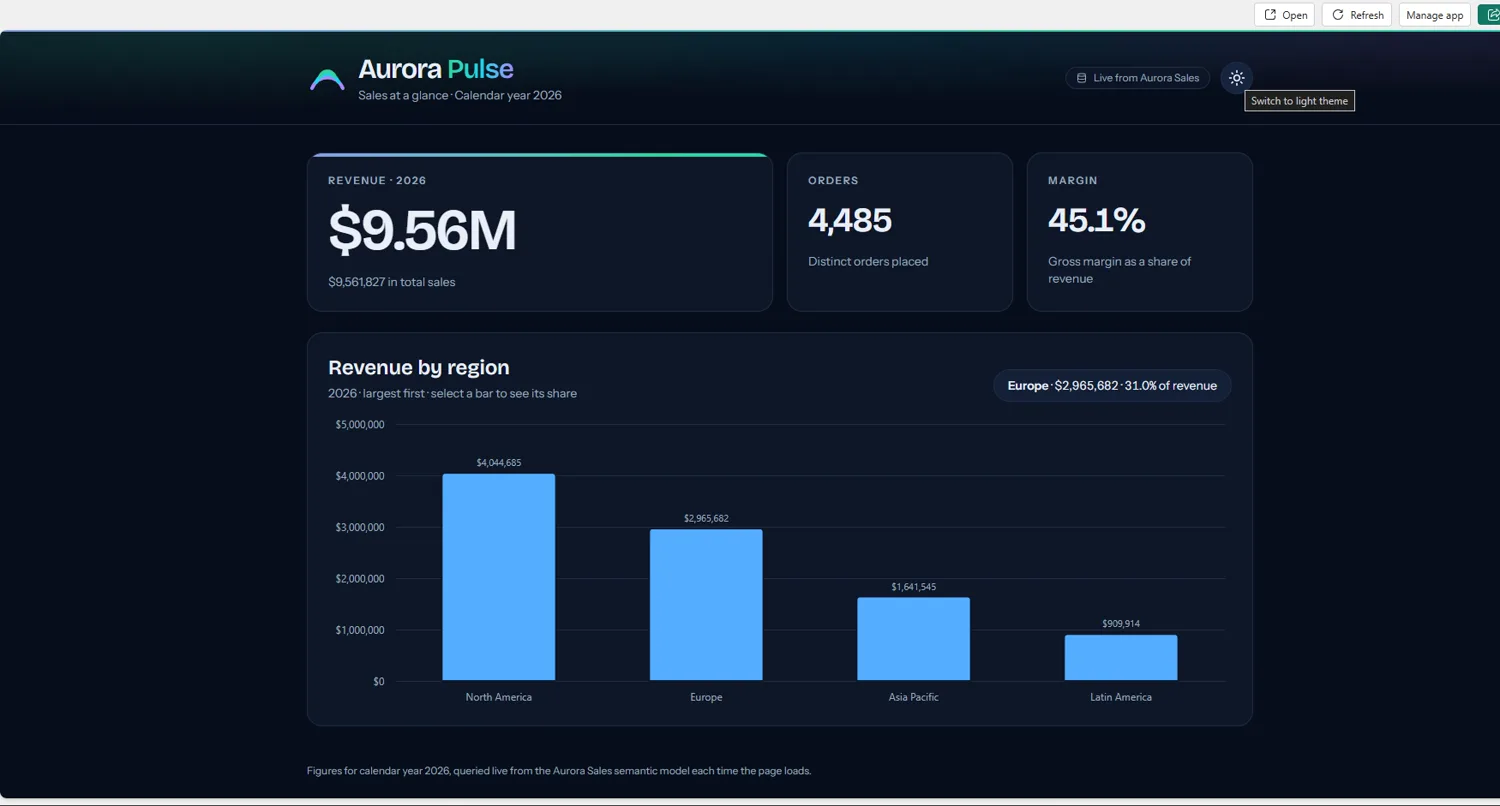
What I liked is how the agent worked. It wrote the DAX, and before it drew a single screen it ran the query against the real model and checked that the regions add up to the total. At the end it told me what it had checked and what it had not: it never opened the app in a browser. That part was mine.
And I did check. I compared its numbers with my report before I trusted them. The AI did the typing. The result is still yours.
From a page to a room
A page with three numbers is nice. But the app is your code, so nothing says it has to look like a report at all. Same model. Same sign in. So I asked how far it could go.
The room asks the semantic model one DAX query when it opens: revenue, cost, orders and units by year, month, region, category and product. About a thousand rows. Everything you do inside is worked out from those rows in the browser, so the room answers instantly.
It starts with three boards, because people need something familiar. Then come the things only a room can do.
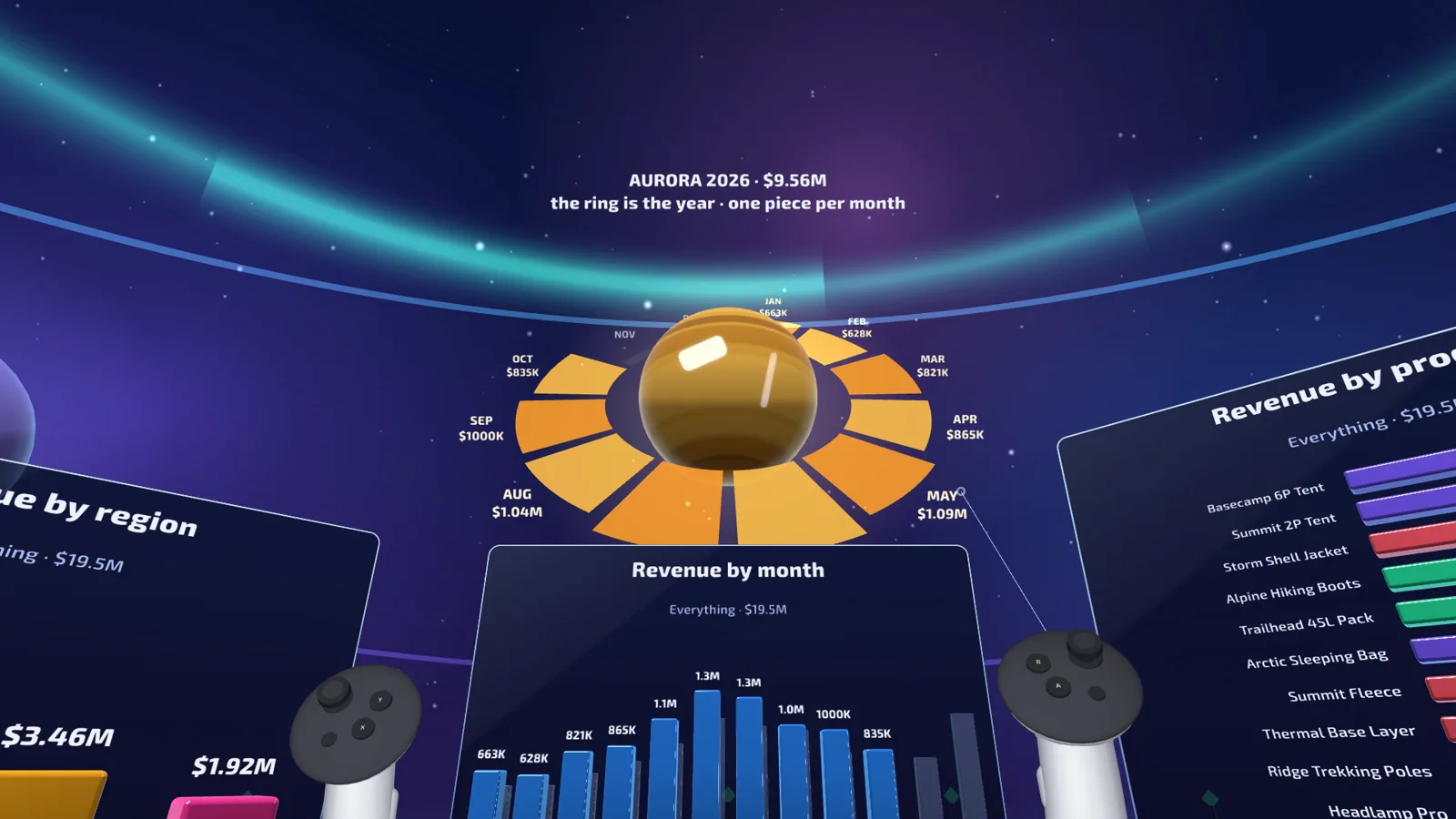
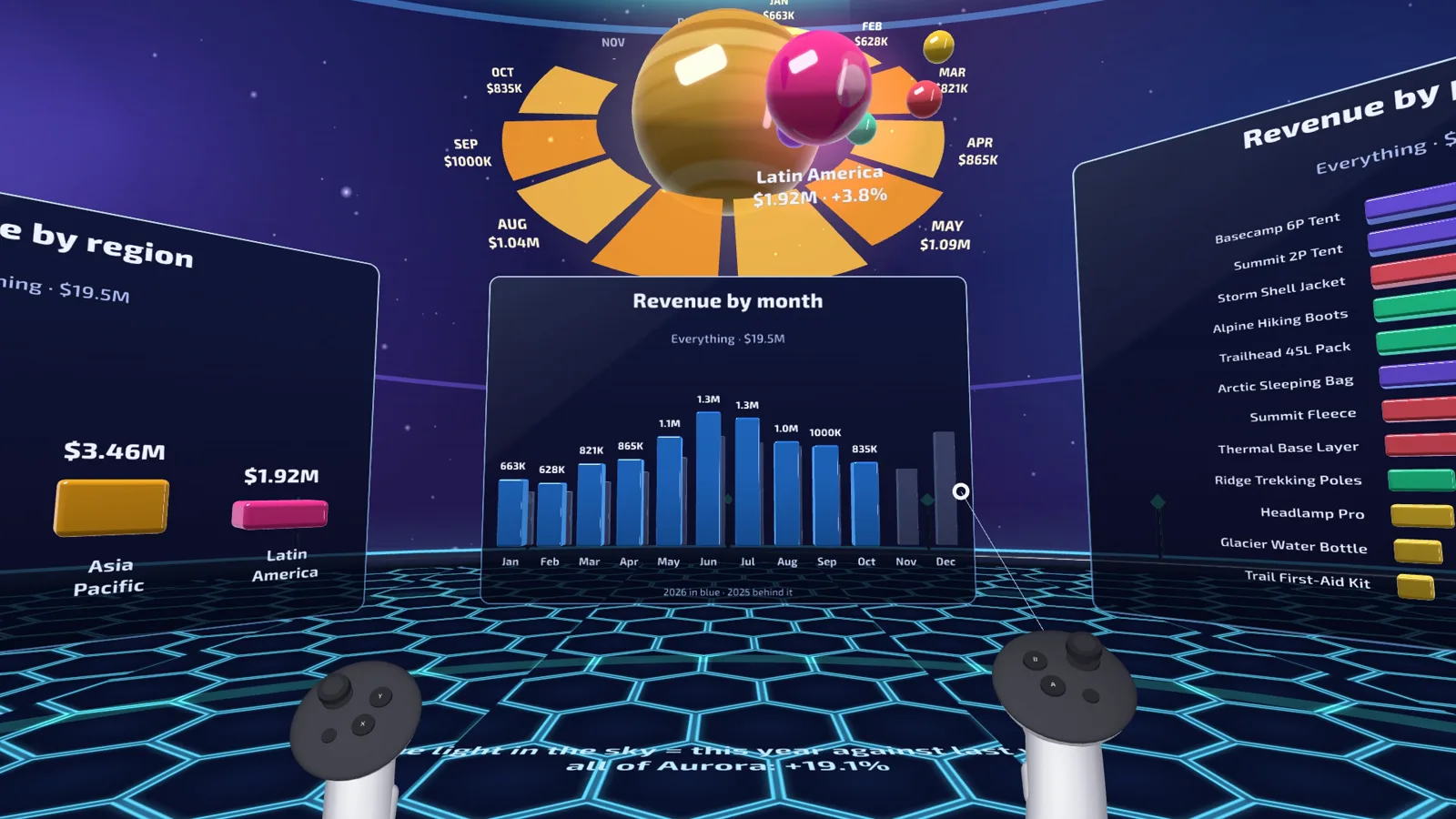
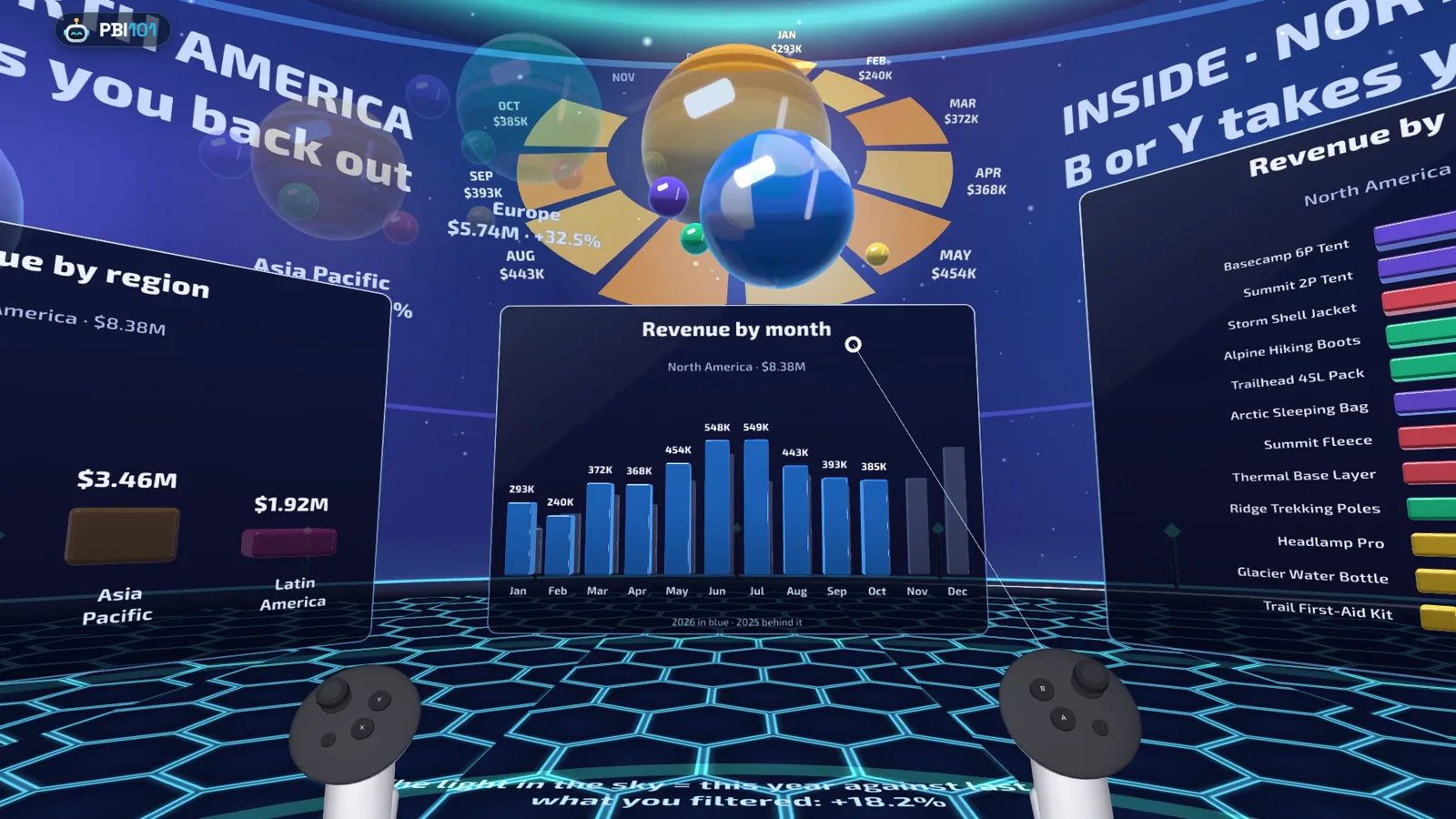
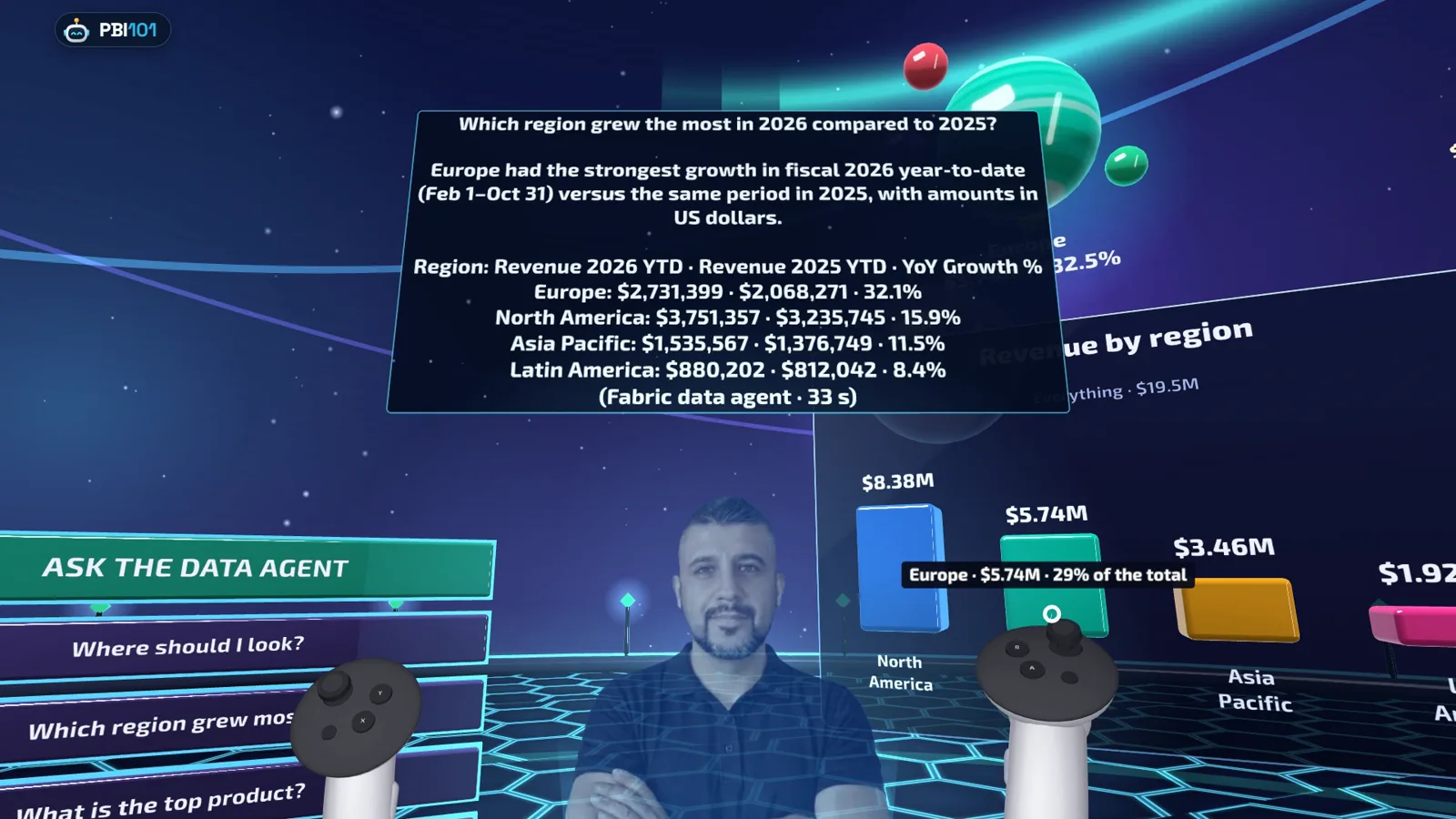
A filter can be a place. The regions are planets. Size is share, speed is growth. Point at one, press a button, and you’re inside it: the wall says so, and every board around you shows that region only. A drill down, by walking into something.
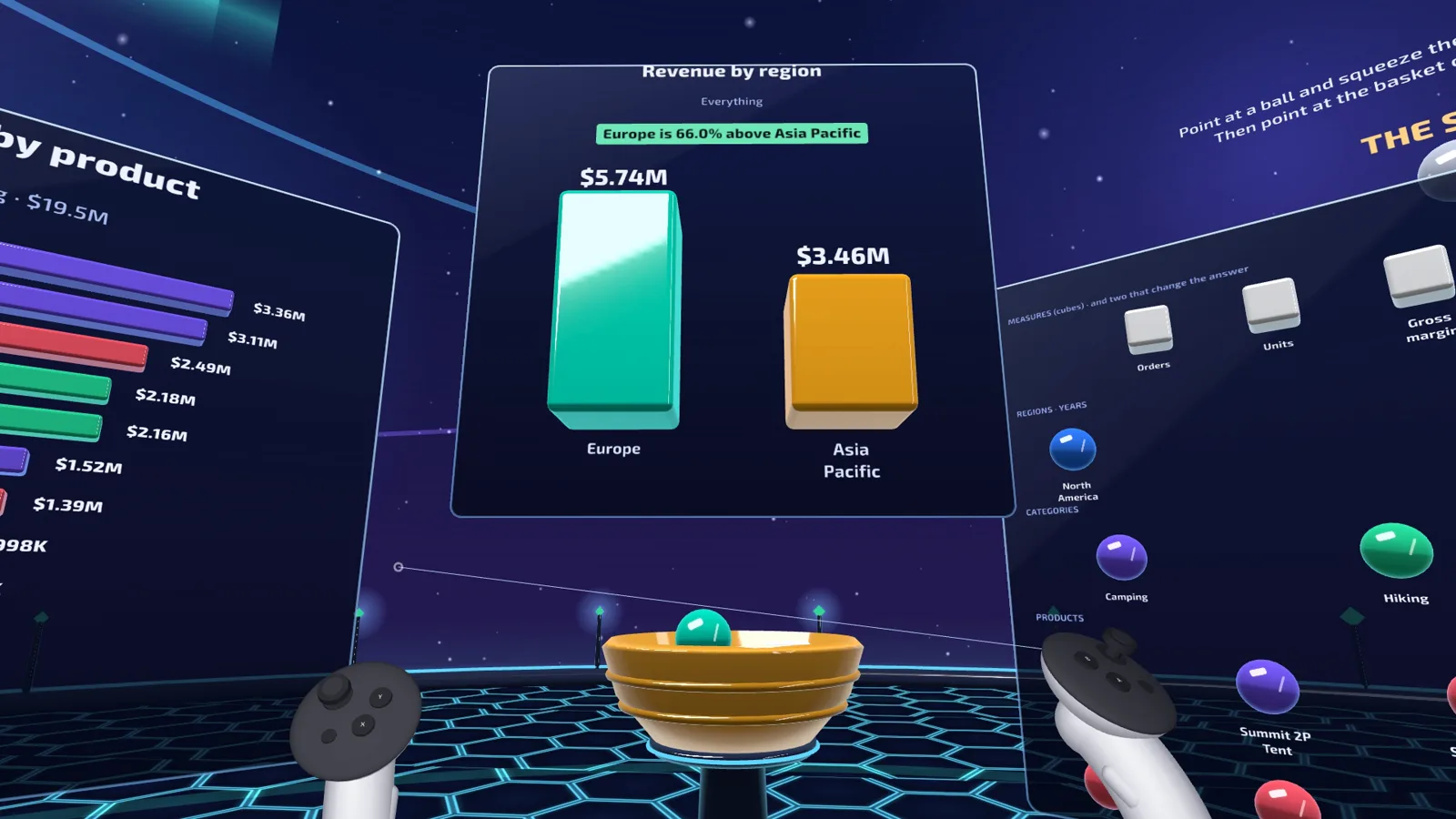
A question can be something you throw. There’s a shelf of balls (measures, regions, products) and a basket. Throw in Revenue, Europe and Asia Pacific, and the basket builds the comparison. No query. No visual pane. Three balls.
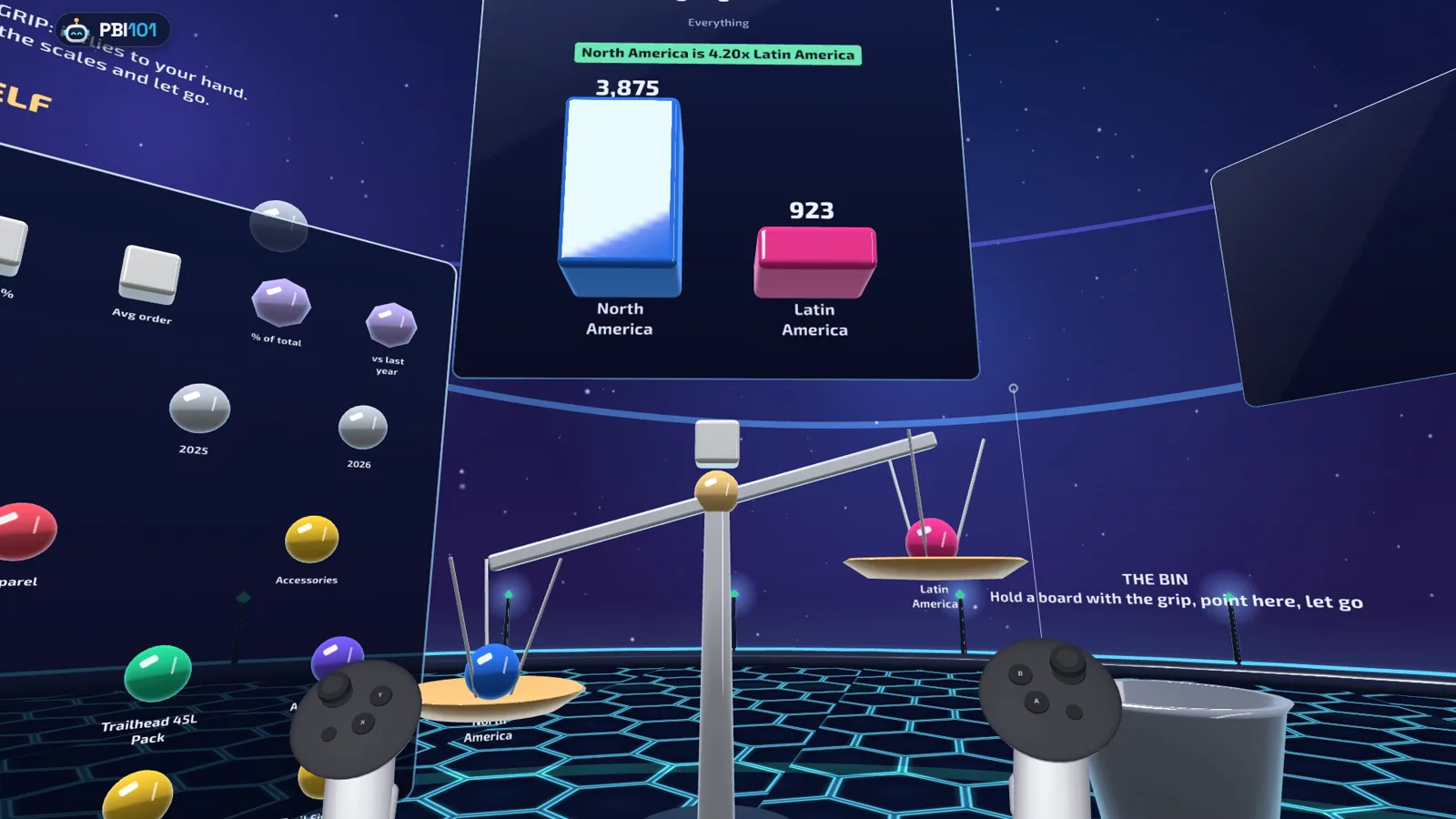
A comparison can have weight. Put North America on one pan of the scales and Latin America on the other, and it tips. Change the measure on top, and it weighs them again. You don’t just see that one is four times the other. You feel it.
And the room can talk to an agent. The guide (that’s me, on a small projector) answers quick questions from the numbers already in the room. But one button sends your question to a published Fabric data agent, and half a minute later the answer is hanging in the air.
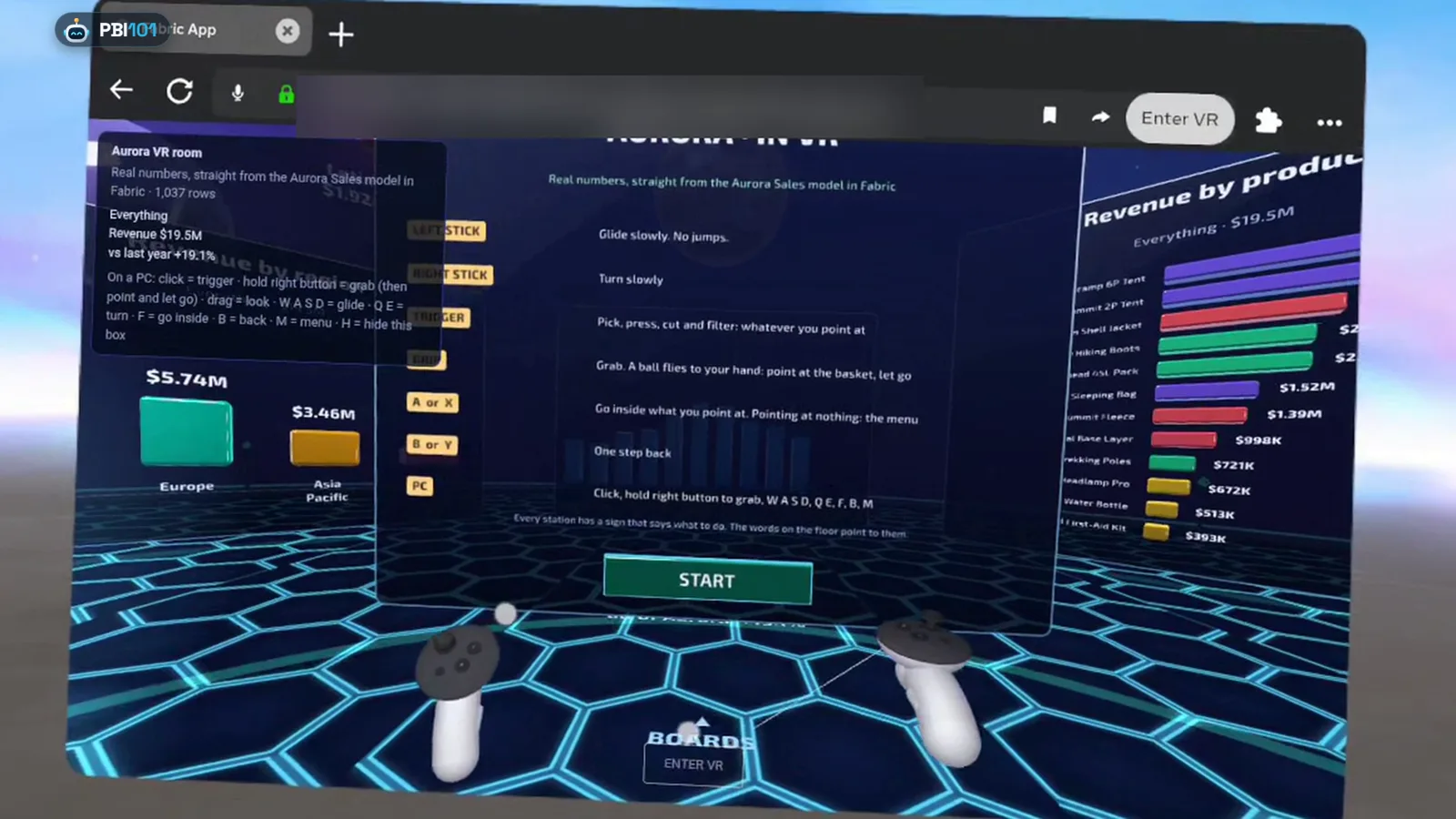
The entry is the part people don’t expect. There’s no app to install on the headset. I opened the browser of a Quest 3, pasted the address, got the regular Fabric sign in, and pressed Enter VR.
What the headset taught me
The first version made me dizzy. I mean it. A few things I’d tell anyone who tries this:
- Move slowly. No jumps and no sudden turns. Glide like a slow walk, turn smoothly.
- Make everything big. Text that looks fine on a monitor is unreadable in a headset.
- Let people act from where they stand. Squeeze, and the ball flies to your hand. Nobody wants to walk to a shelf.
- Answer with a picture, not a sentence. The basket used to print a line of text. Now it builds two columns you can’t miss.
- Explain at the door. The first thing you see is a board with every control on it.
None of that is about Fabric. It’s about respecting the person inside.
The honest part
- Fabric Apps are a preview. Expect things to change, and check whether your region has them.
- The model is synthetic and the room was built for that one model. On yours it needs a different query and different labels.
- The data agent takes about thirty seconds, and it answers in the fiscal year of its own instructions.
- This doesn’t replace a report. A report is still the fastest way to explore data, and it takes no code. An app is for the moment a report page is not enough.
- Most of the room in the video is shown from a desktop browser, where the same app runs with drawn controllers. The entry was recorded on the headset.
Do it yourself
Everything is in the materials: the prompts for the simple app, the whole room as a Fabric App project, and the install steps. In short:
- A workspace on a Fabric capacity, with the admin switch Enable Fabric App items (preview) turned on.
- Publish the Aurora Sales model to your workspace.
- Download the project, run
npm install, and put two ids in one file so the app knows where your model is. npx rayfin up. It signs you in, creates the App item and prints the address.- Open the address. In a headset, press Enter VR.
No headset? The room runs in a normal browser, with the mouse standing in for a controller.
Why a room
I know. VR is not the first thing that comes to mind for a dashboard. That’s exactly the point.
A Fabric App gives you almost total freedom. The sign in, the security and the model stay in Fabric. The screen is yours. From here on, our imagination is the only real limit on how we show data. We’re not tied to a dashboard anymore.
Think about people who take in information differently. People for whom a flat screen is hard to work with. Jobs where your hands and your eyes are busy somewhere else. A room is one answer. Voice was another. Yours might be a planning page, a small portal for one team, or something nobody has a name for yet.
VR is only one example. Get out of the box.
Sources
Written by Shai Karmani.
If you work on Microsoft Fabric, Power BI, data engineering, or practical AI systems, feel free to connect with me on LinkedIn.